Professional invoices in minutes
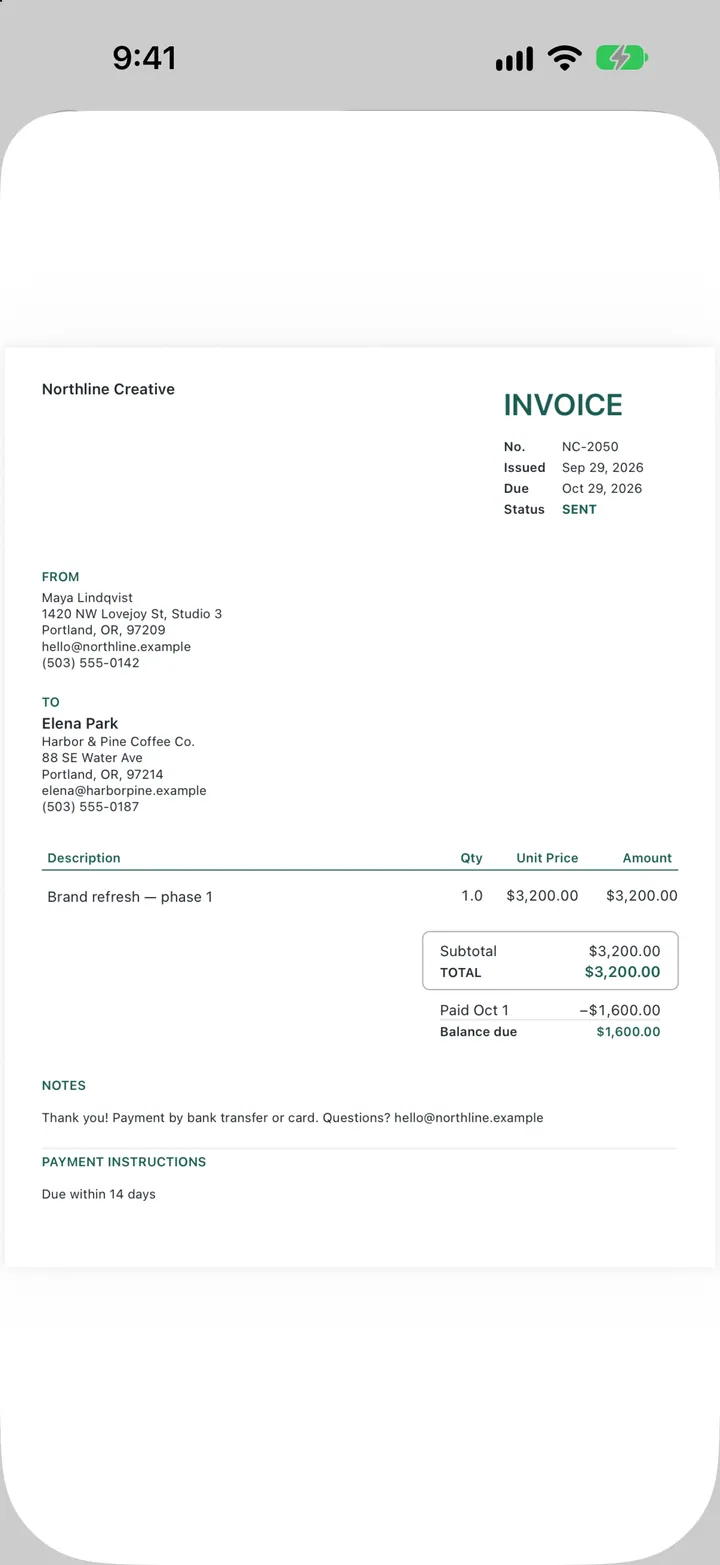
Three refined templates, your logo and colours, and PDFs that print beautifully, including payments received and the balance due.
New: invoice drafts with Apple Intelligence
Create beautiful invoices, manage clients, and keep your business moving. Designed for iPhone, iPad, and Mac.


Free to download. Create your first invoice draft before choosing a plan. No account needed.
Apple Intelligence
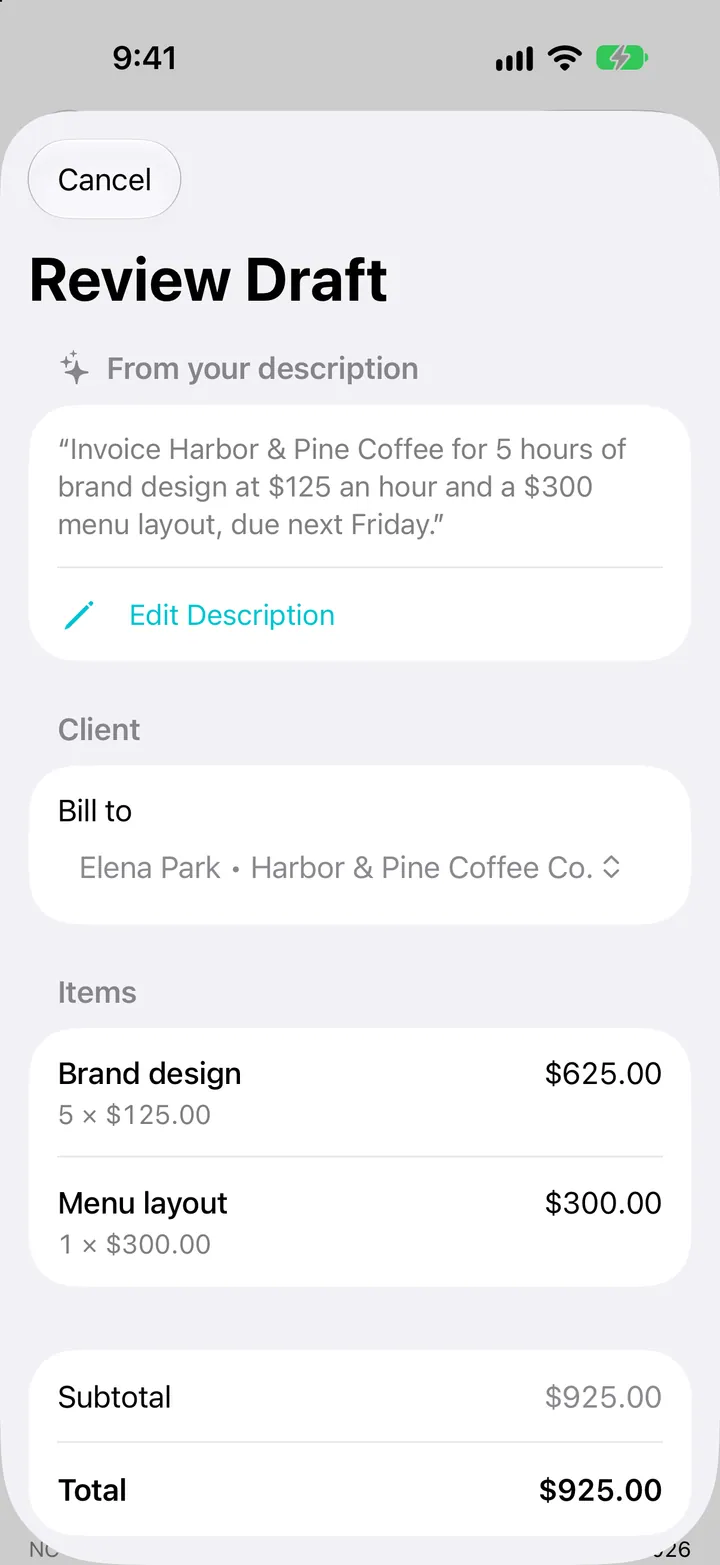
“Invoice Harbor & Pine for 5 hours of brand design at $125 an hour and a $300 menu layout, due next Friday.” That’s the whole invoice. Apple Intelligence reads it on your device, and Invoiceur prepares a draft you can check.
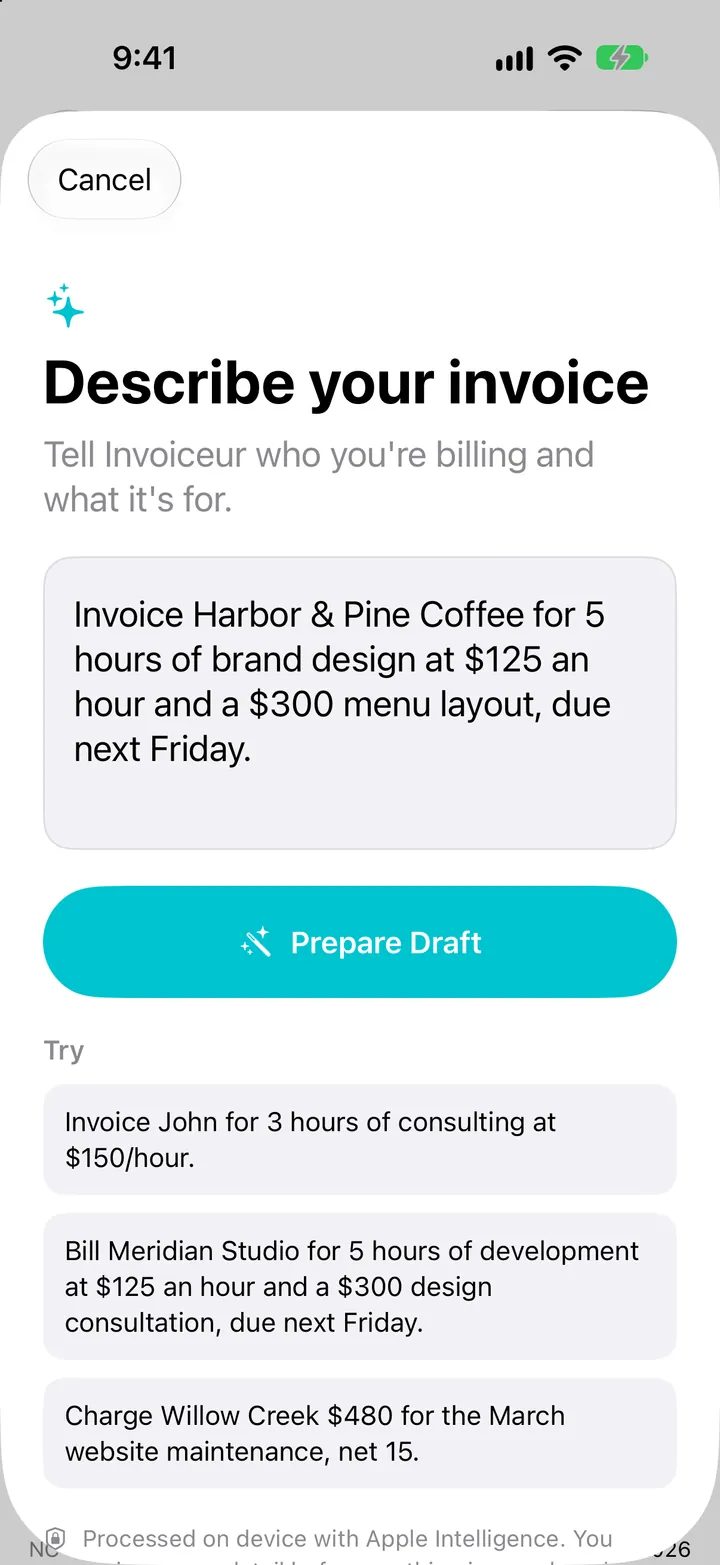
Type or dictate who you’re billing and what for, the way you’d say it to a colleague.
Invoiceur finds the client, splits the line items and works out the total and due date. Anything unclear is flagged for you.
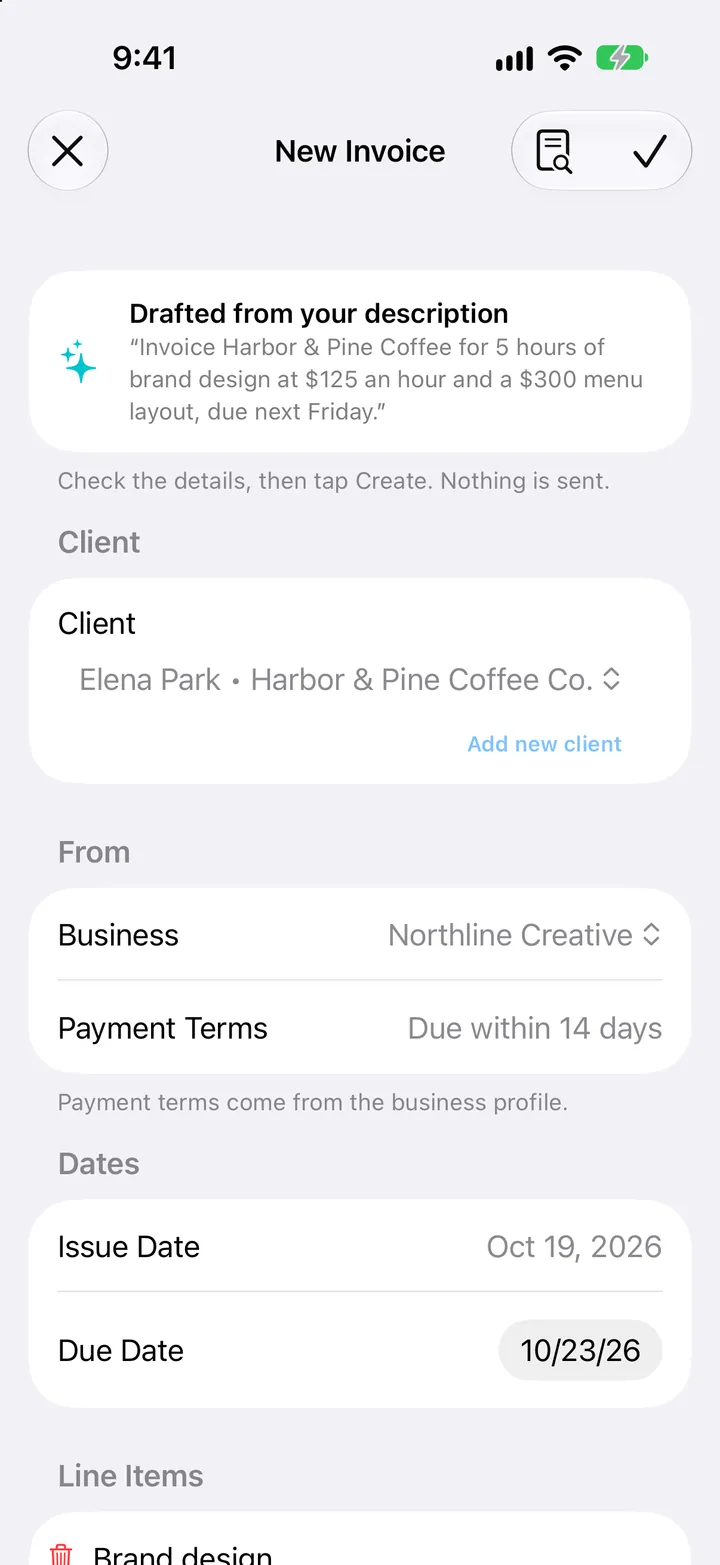
Continue in the regular editor, change anything, then create the draft. Nothing is sent until you send it.
Your numbers, checked.Apple Intelligence reads the words. Invoiceur does the arithmetic, so totals and tax always come from your invoice settings.
Never the wrong client.Two Johns? You choose. A new name? You decide whether to add them. Invoiceur never guesses or makes up contact details.
Private by design.Descriptions are processed on your device. No account, no API keys, no extra AI subscription.
Requires Apple Intelligence on a supported iPhone, iPad or Mac with iOS 26, iPadOS 26 or macOS 26 or later, with Apple Intelligence turned on and set to a supported language. On other devices, Invoiceur works as usual without this feature. With Siri, say “Describe an invoice in Invoiceur” and dictate the details when asked.
Everything you need
The essentials of running a small business, without the dashboards you’ll never open.
Three refined templates, your logo and colours, and PDFs that print beautifully, including payments received and the balance due.
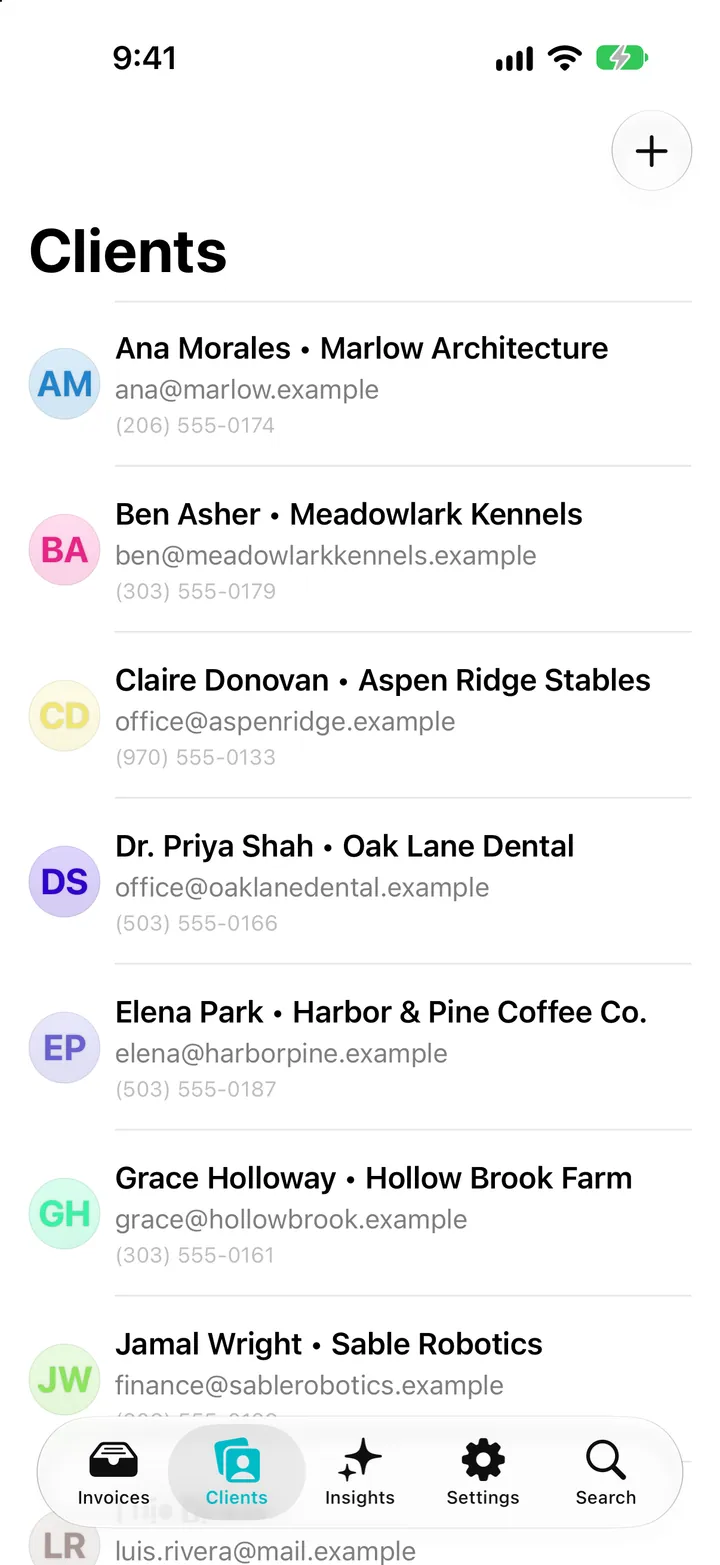
Contact details, invoice history and what each client still owes, all in one place.
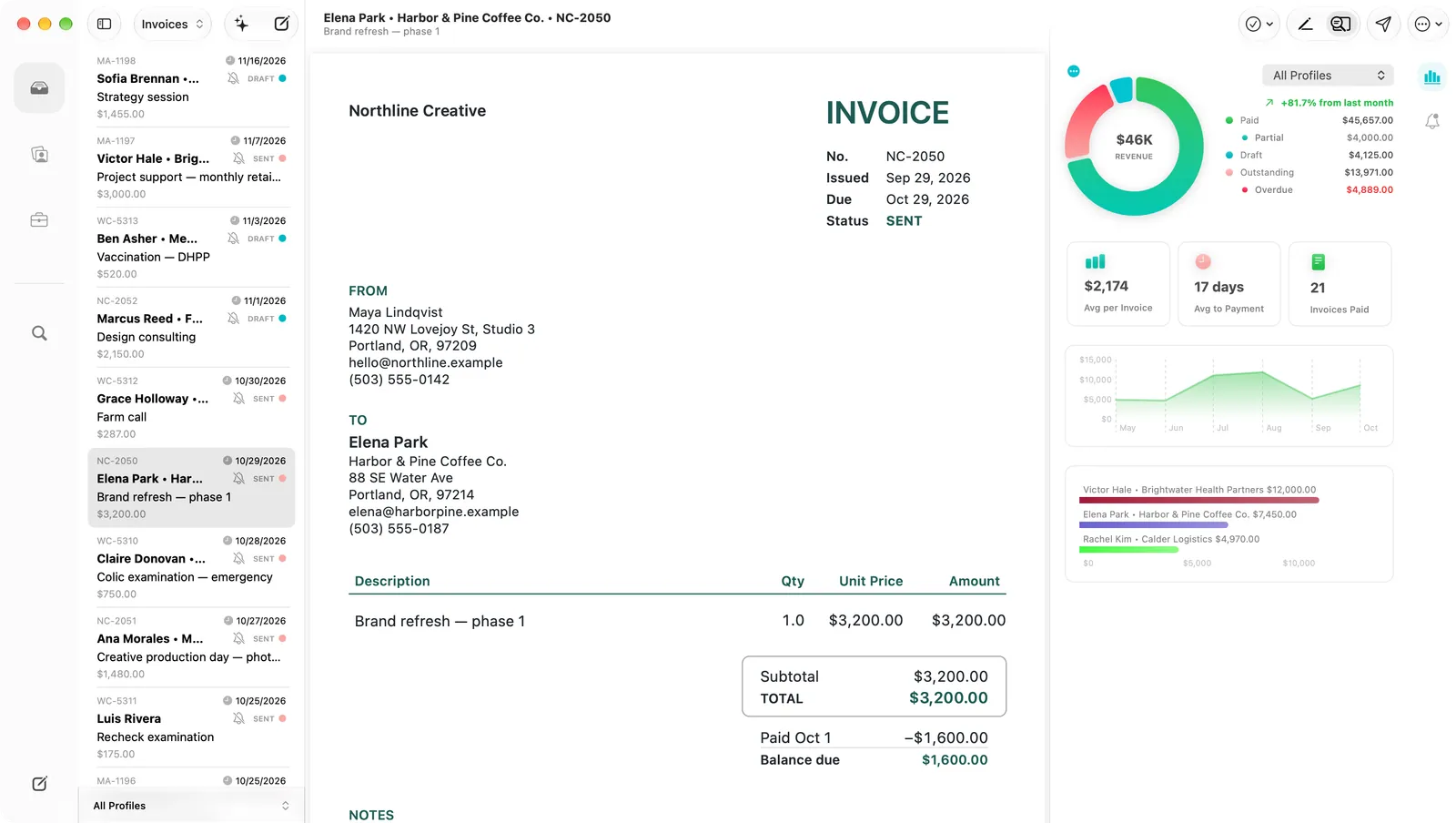
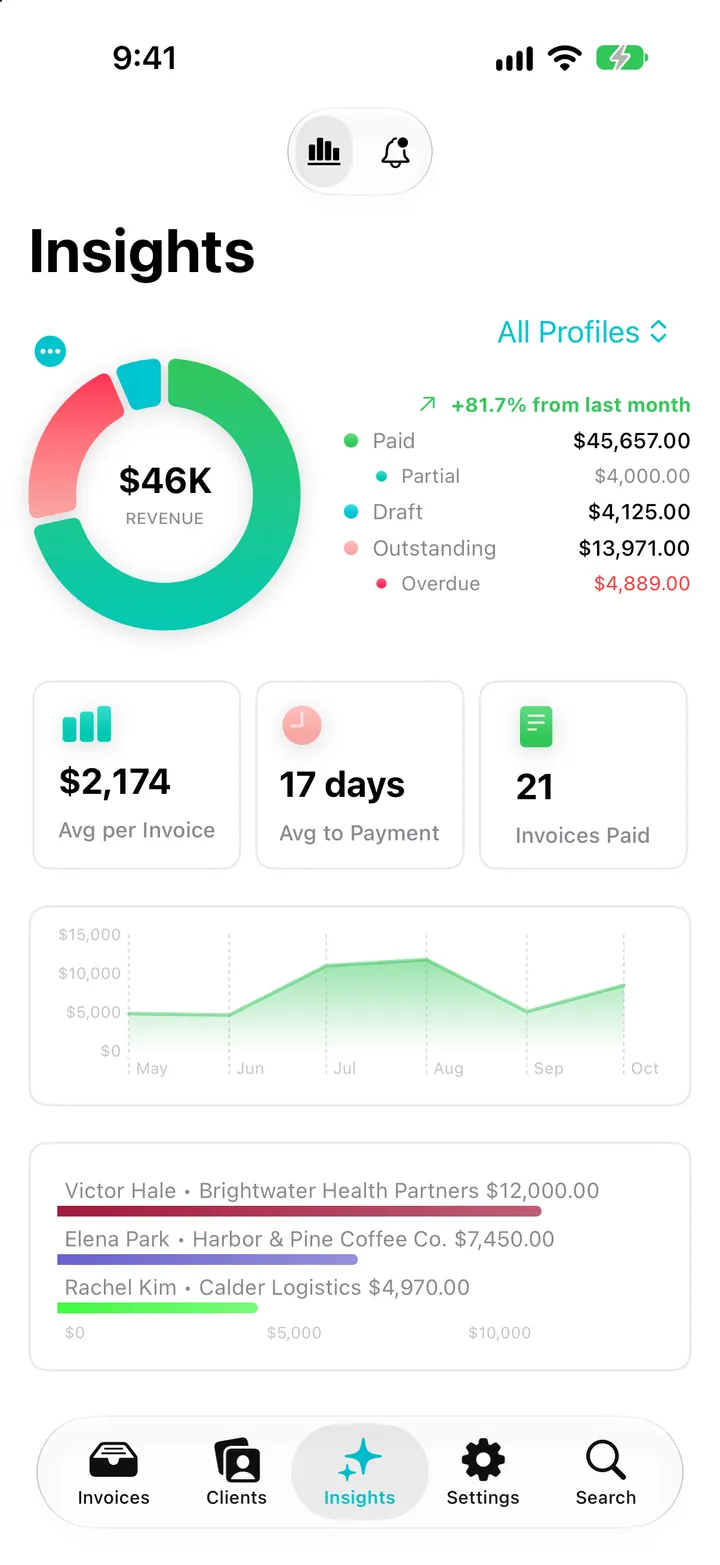
Track partial payments and overdue invoices. Insights shows revenue over time, what’s outstanding and your best clients.
Start typing and Invoiceur suggests the items and prices you’ve used before.
Separate profiles with their own branding, currency, tax and numbering.
Your invoices live on your devices. Create, edit and export without a connection.
Turn on sync to keep iPhone, iPad and Mac up to date through your own iCloud.
Bill in any currency, rounded the way that currency is, and never added up with another.
Create drafts, check what’s owed and find invoices with Siri, the Shortcuts app or Spotlight.
Made for Apple devices
One purchase unlocks Invoiceur on iPhone, iPad and Mac with the same Apple Account. Each version is designed for its device.
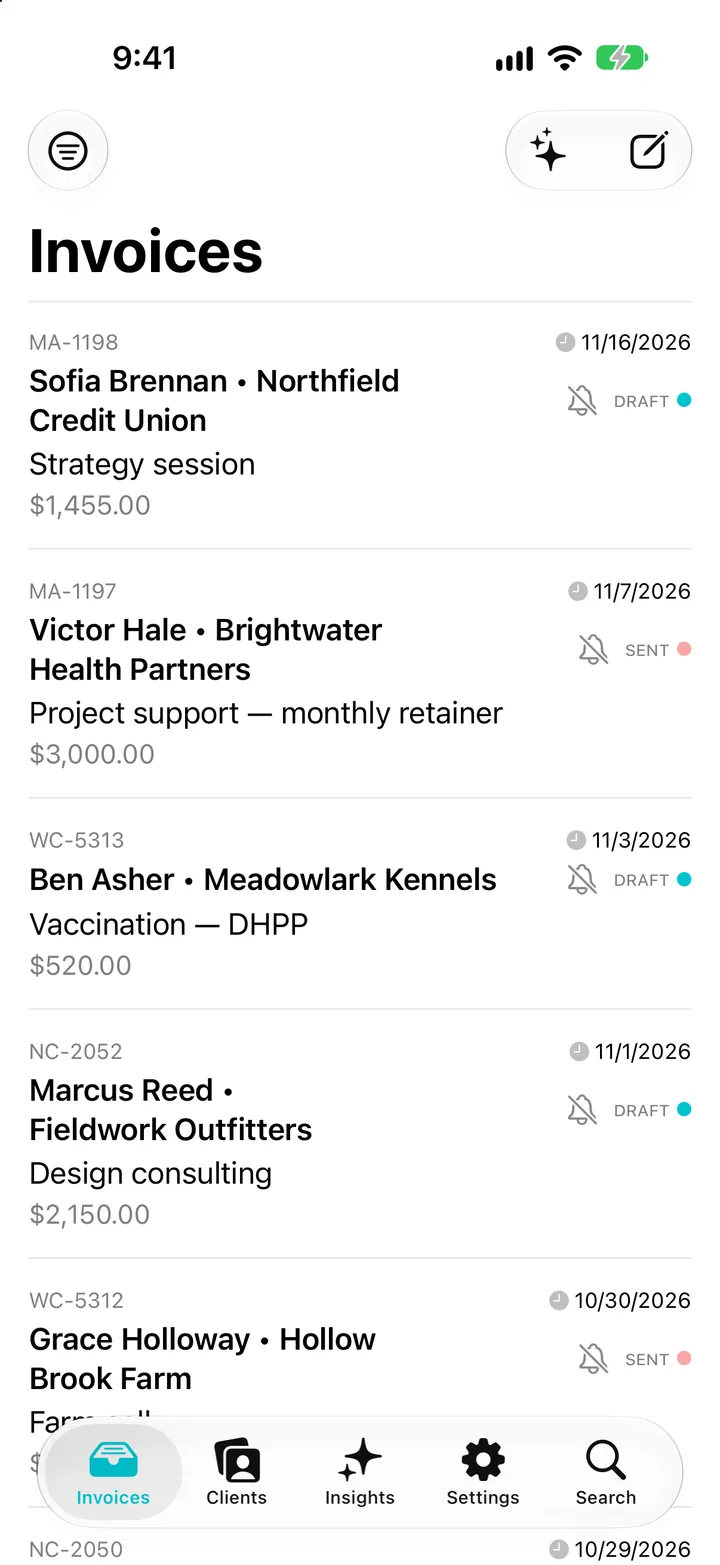
Create, send and track invoices from anywhere, with a layout made for one hand.
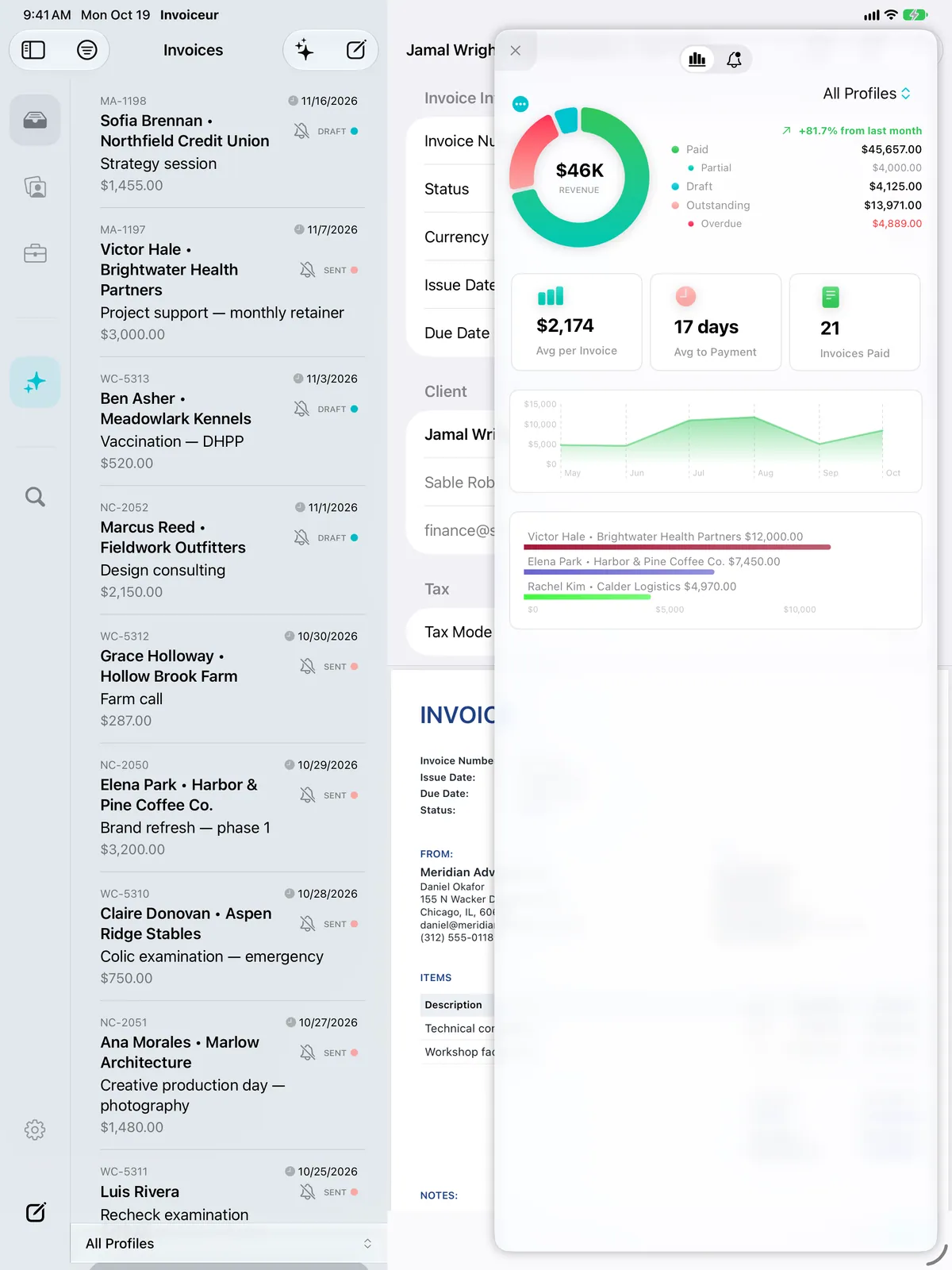
A three-column workspace with keyboard shortcuts, for the days you’re at a desk.
A true Mac app with menus, shortcuts and windows, not a stretched phone screen.
Pricing
Download free and create your first invoice draft. When you’re ready, choose a subscription or buy Invoiceur once. New subscribers get a 1 week free trial.
Subscription · Flexible. Cancel any time.
$5.99/ month
Renews monthly until you cancel
Best value
Subscription · Best value for a working year.
$49/ year
Save $22.88 (32%) compared with paying monthly
One-time purchase · Pay once. No subscription.
$179
No renewals, ever
Prices are in US dollars for the US App Store; the App Store shows the price for your country before you buy. Subscriptions renew automatically unless cancelled at least 24 hours before the end of the period, and can be managed in your Apple Account settings. Purchases are handled by Apple.
Privacy
Invoicing software holds some of your most sensitive information, so Invoiceur keeps as little of it as possible, and none of it on our side.
iPhone and iPad with iOS 26.2 or later, and Macs with macOS 15.6 or later.
Creating invoices from a description needs Apple Intelligence on a supported iPhone, iPad or Mac with iOS 26, iPadOS 26 or macOS 26 or later, with Apple Intelligence turned on. Everything else in Invoiceur works on every supported device.
No. Invoiceur uses Apple’s on-device foundation model, so your description is processed on your iPhone, iPad or Mac and isn’t sent to Nerdla or any other AI service.
Never without you. A description becomes a draft that you review in the editor. Sending is always your decision.
No. One subscription or Lifetime purchase works on all your devices signed in with the same Apple Account.
Yes, any time, in your Apple Account’s subscription settings. Your invoices stay on your devices, and you can still view them and export a full archive.
Free to download for iPhone, iPad and Mac.